This can save you a few seconds (and some mild annoyance) per day if you write .md files or markdown cells in Jupyter-like notebooks with VS Code or its forks; otherwise, you can safely skip reading it:
When you are editing some markdown text with VS Code & Co., you cannot select text and paste a URL to create [selected text](URL).1 This makes adding links just annoying enough that I finally had to fix it, and the solution turned out to be rather simple: You just need to add the following rule
	{
		"key": "ctrl+v",
		"command": "editor.action.insertSnippet",
		"when": "editorTextFocus && editorHasSelection && editorLangId == markdown",
		"args": {
			"snippet": "[$TM_SELECTED_TEXT]($CLIPBOARD)"
		}
	}
in your keybindings.json.2
My keybindings.json is as follows after the update and it works:
[
	{
		// ... other keybindings ...
	},
	{
		"key": "ctrl+v",
		"command": "editor.action.insertSnippet",
		"when": "editorTextFocus && editorHasSelection && editorLangId == markdown",
		"args": {
			"snippet": "[$TM_SELECTED_TEXT]($CLIPBOARD)"
		}
	}
]
This is what it looks like when in use:
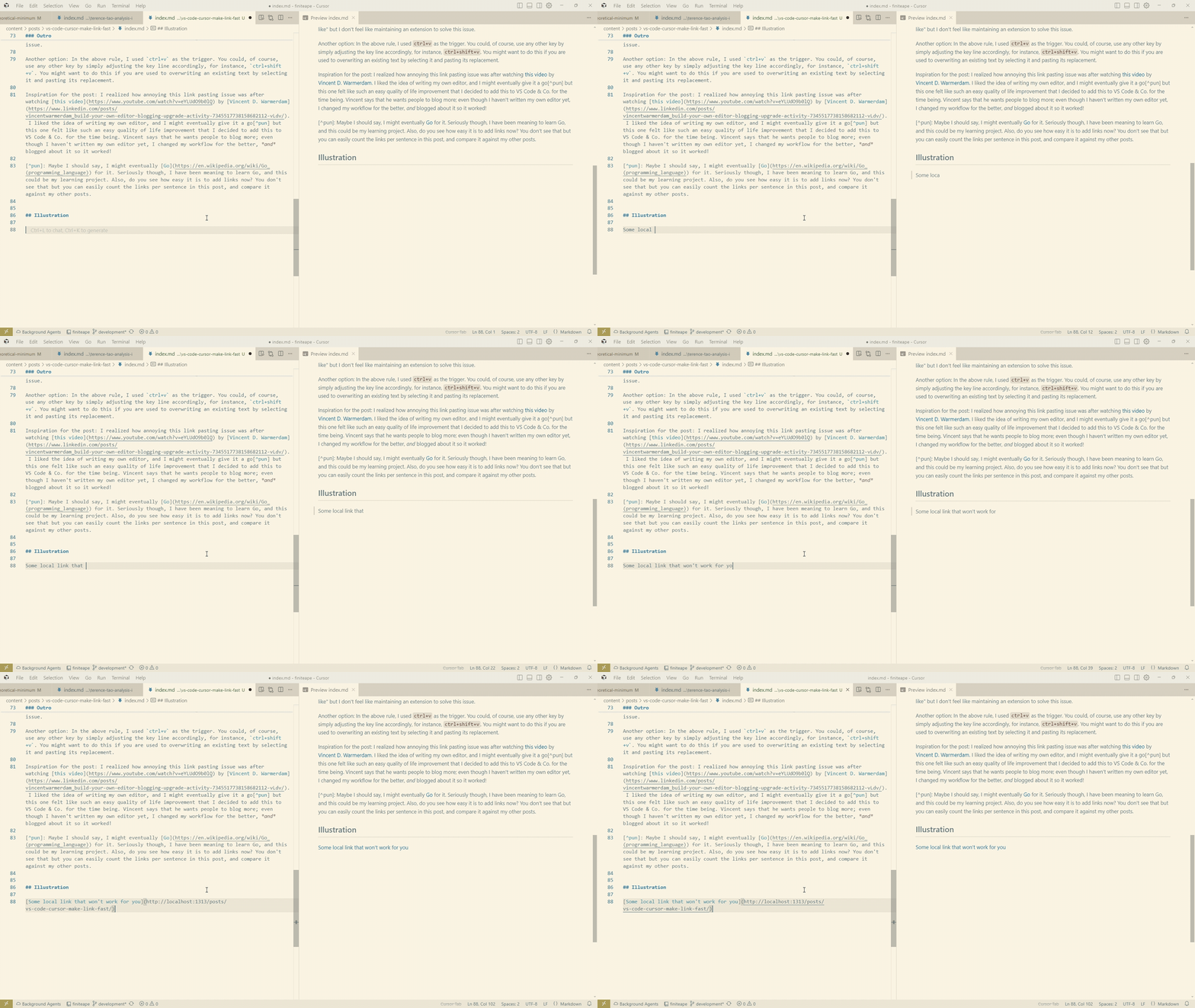
Outro
A caveat: If you are used to this feature from other platforms (e.g. Github), you might expect it to validate the link before doing its thing so that if you paste “I thought this string was a link but I was wrong”, it won’t create [selected text](I thought this string was a link but I was wrong). This is not the case with the above fix so you need to check that you copied a link, which is not that difficult since you see it immediately anyway.3
Another option: In the above rule, I used ctrl+v as the trigger. You could, of course, use any other key by simply adjusting the key line accordingly, for instance, ctrl+shift+v. You might want to do this if you are used to overwriting an existing text by selecting it and pasting its replacement.
Inspiration for the post: I realized how annoying this link pasting issue was after watching this video by Vincent D. Warmerdam. I liked the idea of writing my own editor, and I might eventually give it a go4 but this one felt like such an easy quality of life improvement that I decided to add this to VS Code & Co. for the time being. Vincent says that he wants people to blog more; even though I haven’t written my own editor yet, I changed my workflow for the better, and blogged about it so it worked!
Illustration
Some local link that won’t work for you
-
I later found out that VS Code was supposed to have this feature natively since version 1.86 (January 2024) via the
pasteUrlAsFormattedLinksetting, but it wasn’t working for me at the time. Could have been an Ubuntu version lag or something similar. In any case, this keybinding approach works across forks like Cursor that may not have the setting. ↩︎ -
With VS Code or Cursor or another fork open, press “ctrl + shift + p” and then start typing “Preferences: Open Keyboard Shortcuts: JSON” and select this option to be taken to
keybindings.json. ↩︎ -
We could technically write a short extension that essentially validates the copied text as “link-like” but I don’t feel like maintaining an extension to solve this issue. ↩︎
-
Maybe I should say, I might eventually Go for it. Seriously though, I have been meaning to learn Go, and this could be my learning project. Also, do you see how easy it is to add links now? You don’t see that but you can easily count the links per sentence in this post, and compare it against my other posts. ↩︎